dockstore: wdl versionning and call caching

Hi,
I have recently updated a dockstore version of a workflow. I had hoped that Terra would have been able to capture the sameness of the tasks based on the wdl file's content but it did not. This meant that nothing could be call cached. even pushing a new version of the pipeline to something that reverted my changes did not allow the tasks to be call cached.
I am thus positing that call caching is using another information than file content to know whether a task is the exact same as before or not (for dockstore wdls).
What is it? Is it the dockstore's linked git commit id? something else? How could I revert my changes in the dockstore wdl so that the tasks would be call cached again?
Best,
Comments
3 comments
Hi Jeremie Kalfon,
Thanks for writing in. What are you changing between the versions of your workflow? Have you changed any of the inputs or outputs? Call caching requires consistency in the inputs and outputs of a task. For example, if your task's runtime attributes are using input variables, changes to the values of those variables count as changes to the inputs. Or, if you publish a new version of your workflow that has one extra or one fewer output, it will not benefit from call caching even if the inputs are the same.
If you believe your workflow should have benefited from call caching, you can run the Call Caching Debug Wizard, found in the Workflow Dashboard for the workflow of interest. More details on call caching and instructions on how to use the debug wizard can be found in this support article: Call caching: How it works and when to use it.
If you have a specific submission you'd like us to take a look at, please share your workspace with GROUP_FireCloud-Support@firecloud.org and let us know the workspace name and relevant submission/workflow IDs. We'll be happy to take a closer look as soon as we can.
Best,
Samantha
Hi! Thanks for that insightful response.
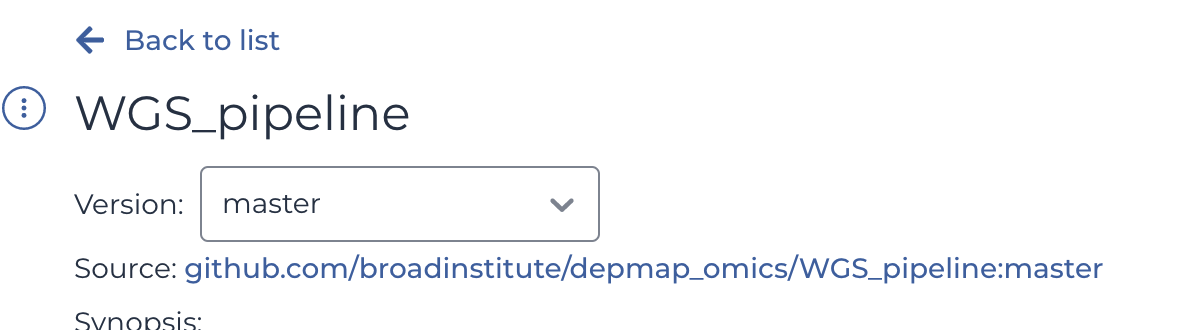 how the version management looks like (with the git master branch being used as current version)
I had not changed inputs/outputs but I had changed the imports my wdl script was using (it was importing the same wdl file but from a different folder). I am sure that other things such as changing the task itself will cause call caching to fail. My issue was that I then reverted to the original file location but call caching did not came back... Is there a way for it to come back (what if I am rebasing my master branch to the initial commit (from which I had run the pipeline initially) will the call caching work?
Also, how can I access the call caching debug wizard?
Best,
Hi Jeremie Kalfon,
Can you please share your workspace with GROUP_FireCloud-Support@firecloud.org so we can take a closer look? Let us know the name of your workspace and relevant submission/workflow IDs.
Also to get to the call caching debug wizard, go to the Job History page for your submission and click on Workflow Dashboard under Links.
In the Workflow Dashboard, expand the task that you think should have been call-cached. It will probably say 'Cache Miss' under Call Caching Result. Click on the magnifying glass icon to open the Call Cache Debug Wizard.
In the prompt, enter the workflow ID of the job you are expecting it to call cache from, select the appropriate task, and click Continue. The result should show what differences there were between the two runs.
Please let me know if you have any questions.
Best,
Samantha
Please sign in to leave a comment.