Ease notebook reuse

Reusing a notebook could be made easier for new users. To reuse the DEGenome tutorial [1], for example, it seems users must do one of the following:
Option A:
- Do as described in "How to clone a workspace" [2], specifically "To clone from within the workspace (option 1)".
- Within your new cloned workspace, click the "NOTEBOOKS" tab, then the "degenome-tutorial" link.
Option B:
- Click on the 3 dots on the notebook and "Copy to another workspace"
Option A is complicated, and Option B requires a separate pre-existing workspace.
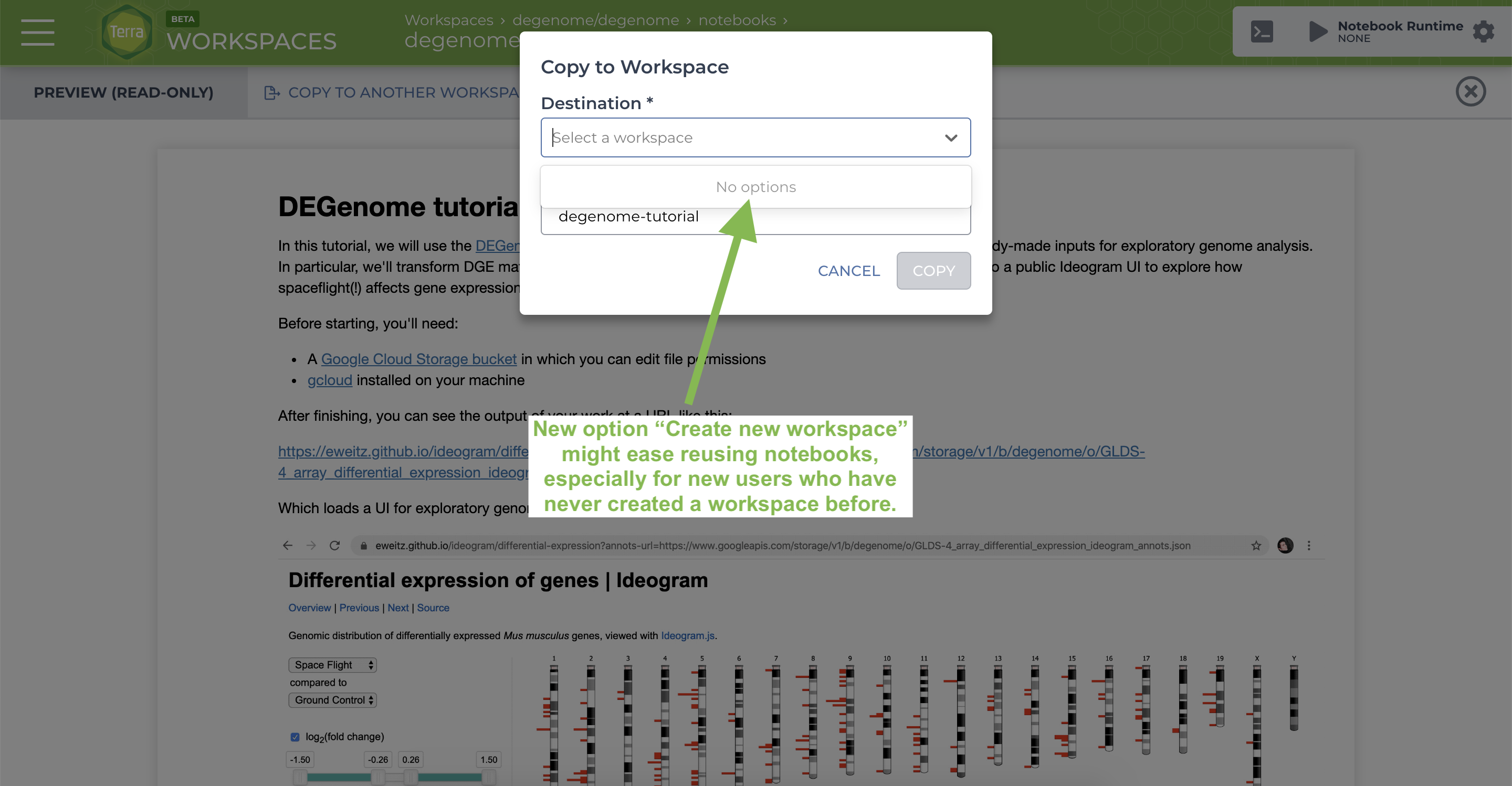
Could the user flow in Option B be enhanced to allow the user to "Create new workspace" as an option in the "Destination" menu shown in the modal? Then no pre-existing workspace would be needed.
This screenshot shows the UX issue and summarizes the solution suggested above.
1. https://app.terra.bio/#workspaces/degenome/degenome/notebooks/launch/degenome-tutorial.ipynb
2. https://support.terra.bio/hc/en-us/articles/360026130851-How-to-clone-a-workspace
Comments
1 comment
Hi Eric,
Thank you for your suggestion. We have created a ticket for the Terra development team.
Jason
Please sign in to leave a comment.