R notebook error: installation path not writeable

When using your default R notebook configuration, I am getting an error that I cannot update dependency packages using BiocManager because the installation path is not writeable.
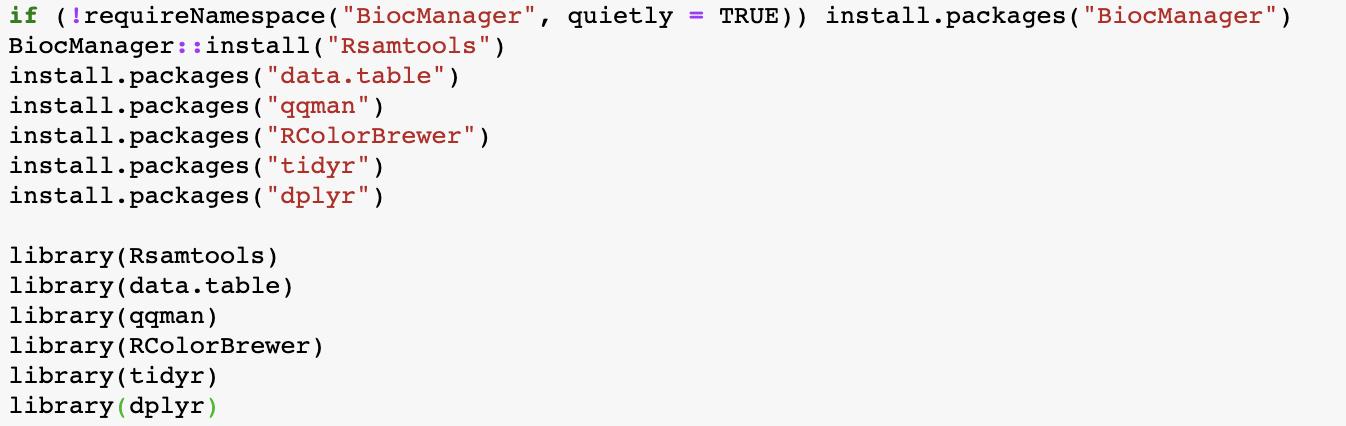

I am also unable to open the Bioconductor preconfigured notebook. When i select it, it asks for a few minutes to create a new runtime, but always keeps the default R configuration.
Comments
4 comments
Hi Beth,
The team is investigating and we will get bak to you with an update!
Hi Beth,
What do you mean by "Bioconductor preconfigured notebooks"?
The second option under the runtime configuration environment:
Hi Beth,
I spoke with the dev team and they mentioned most of these are already installed and current
pkgs = c("Rsamtools", "data.table", "qqman", "RColorBrewer", "tidyr", "dplyr")pkgs %in% rownames(installed.packages())
A better strategy would be to install only packages that are not yet installed
which may only be
qqman.For Bioconductor, where Rsamtools comes from, the recommend installation approach for CRAN or Bioconductor packages is
or to install new packages and update any out-of-date packages with
Please sign in to leave a comment.