Bug - can't scroll in Share screen in Terra

Hi,
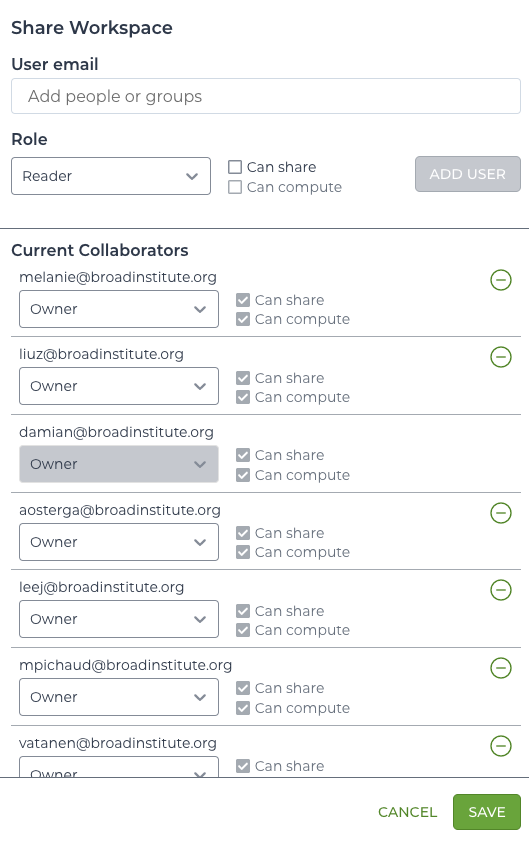
I noticed that I can't scroll when I open Share workspace panel in Terra (see screenshot). Scrolling defaults to the main page instead.
Hi,
I noticed that I can't scroll when I open Share workspace panel in Terra (see screenshot). Scrolling defaults to the main page instead.
Comments
3 comments
Damian,
Thank you for the bug report! I have tried to replicate this by adding 30 users to a workspace but I am able to scroll through the full list of Collaborators successfully. However, I did notice that if my cursor is not hovering on the pop-up itself, the background page scrolls. If the cursor is on the pop-up I am able to scroll the full list of Collaborators. Would you be able to test and confirm this behavior as well? Perhaps we can find a way to make it such that scrolling of the background is frozen if the Share screen is active?
Thank you!
Hmm, still not working. I am operating Chrome on macOS. What's your setup? I will check with a colleague.
Damian
I too am working on Chrome on macOS!
Please sign in to leave a comment.